


UpFoto - AI Photo Enhancer
4.516.50K Reviews
App Specs
- Version
- 1.4.1.118
- Updated On
- License
- Free
- Downloads
- 100,000,000+
- Developer
- AI Photo Team
- Categories
- Photography
- Platform
- Android, iOS
Screenshots


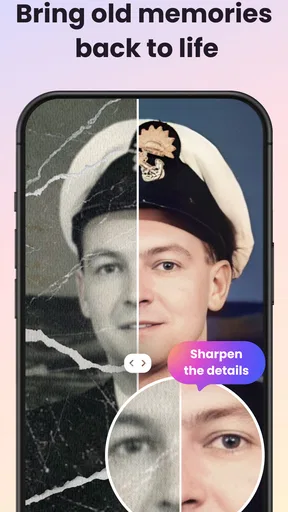
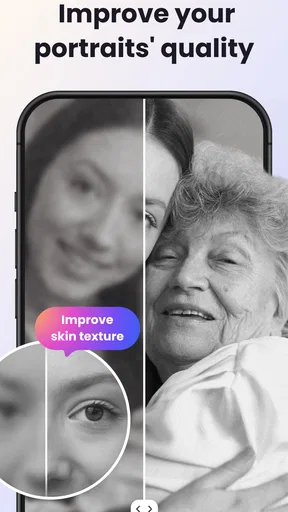
 Analysis by AppCompare
I usually reach for an AI photo enhancer when a picture has a clear memory behind it but looks too dim, soft, or faded to share. UpFoto - AI Photo Enhancer is aimed at that quick repair job: choose an image, let its automatic processing do the first pass, then decide whether the result needs a little more work. It is a photography app from AI Photo Team, and its appeal is less about building a complicated editing routine than getting a usable improvement without needing to know much about image editing.
What to expect from the current app
UpFoto is free to install and is rated for Everyone, so it is easy to try before deciding whether it suits your habits. It has a 4.5 average from around 1.4 million ratings, with roughly 16,000 written reviews and over 100 million installs. Those figures suggest that many people use it for accessible photo work, but they do not tell me whether its particular rendering style will suit your pictures. I would treat the first edit as a test, not assume every image will improve in the same way.
The app’s current version is 1.3.8.109, and it runs on Android 8.0 or later. It is also available on iOS. The product has been around since May 11, 2022, which gives it some history as a consumer photo tool; a version number by itself, though, does not reveal exactly what changed between releases. I would judge it on the actual result and workflow on your own device rather than read a feature roadmap into that number.
A quick repair workflow, with room to take control
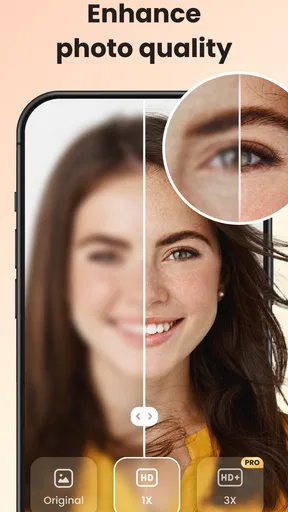
The most useful way to approach UpFoto is to start with a copy of a photo you are comfortable experimenting on. Pick one where the subject is important but the image has an obvious weakness, such as a face that is hard to see in a dim room or a slightly soft detail. Compare the processed preview with the original before saving. That small pause matters: enhancement can make a picture feel clearer, but a stronger treatment is not automatically a more faithful one.
After the automatic pass, I would use manual adjustments sparingly. Brightness, contrast, and saturation can help correct a specific issue, but changing several at once makes it difficult to tell which adjustment helped. A practical sequence is to settle exposure first, then contrast, and only then color. If the automatic edit already looks convincing at normal phone-screen size, there may be no reason to push it further.
Noise reduction is worth testing on a grainy evening picture, especially when you want to make a small image easier to view or share. The trade-off is that reducing visible grain can also soften fine texture. I would check hair, fabric, leaves, and other detailed areas before treating the result as an improvement. For a keepsake where natural texture matters, a lighter touch may be preferable to the cleanest-looking preview.
How it fits beside other photo editors
Compared with a conventional editor, UpFoto puts more emphasis on automatic assistance than on building an edit from individual controls. That is handy when you want a fast starting point and do not want to learn a long list of sliders. A manual-first editor is usually the better fit when you need exact control over a particular look, consistent color across a set of photographs, or a careful crop-and-retouch workflow. UpFoto’s manual adjustments help bridge the gap, but they do not turn the app into a full desktop-style editing suite.
Worth Reading Before You Choose

Baby Panda World Brings Quick Play to Modern Phones, but Its Game Library Feels Busy

ESPN’s Live Game View Makes Following Close Games Easier

QuizzLand Review: A Good Fit for Short Trivia Breaks, Not Every Player

Basketball Stars: Multiplayer Is Fast, but Can It Recover When Matches Go Wrong?

WEBTOON Turns Phone Updates Into a Better Reading Routine

Link to Windows Runs on Shared Habits, Not Social Feeds
It is also different from simply applying a filter. A filter mainly changes the overall mood or color treatment, while an enhancement pass is meant to address image quality. I would use a filter when the photo is already clear and I want a style; I would try UpFoto when the image itself needs help. Applying both can work, but I would inspect the combined result rather than assume that more processing means a better photograph.
Who is likely to get the most from it?
UpFoto makes the most sense for casual photographers, people sorting through older camera-roll pictures, and anyone who wants a quick before-and-after check without spending time learning advanced editing. It can also be useful for preparing a single family snapshot for sharing when retaking the picture is not possible. Someone who regularly edits batches for work, needs precise color matching, or wants detailed control over every local area should look at a more specialized editor instead.
For example, imagine finding a slightly blurry indoor photo of a birthday gathering the next morning. I would select the original, test the enhancement, and inspect faces and fine detail in the preview before saving. If the main subject becomes easier to see without looking unnaturally smoothed, the edit has done its job. If it starts to look overly polished, I would keep the original or try a less aggressive adjustment rather than make the image brighter and sharper simply because those controls are available.
Using the app with a little judgment
Downloading and installing UpFoto - AI Photo Enhancer was a breeze. Available for both Android and iOS, it took me less than a minute to get it up and running. The interface is sleek and user-friendly, making it super easy to navigate. As someone who isn't exactly a tech wizard, I appreciated the simplicity. Once installed, I was greeted with a minimalistic dashboard, ready to enhance my photos.
Features Galore
Let’s dive into what this app offers. UpFoto boasts a plethora of features designed to enhance your photos with just a few taps. The AI enhancement tool is the star of the show here. It analyzes your image and automatically adjusts lighting, sharpness, and color balance. I was genuinely amazed at how well it handled some of my poorly lit photos, bringing out details I didn’t even know existed.
Another neat feature is the noise reduction option. For those grainy, low-light shots, this tool works wonders. I tested it on a few of my evening shots, and the results were impressive. The app also includes a set of filters and effects that allow you to give your photos a unique touch. Whether you’re going for a vintage vibe or something more modern, there’s a filter for every mood.
Using the App
Using UpFoto is straightforward, even for beginners. Simply select a photo from your gallery, and let the app work its magic. The AI enhancement process is quick, usually taking just a few seconds. What I loved most is the ability to preview changes before applying them. This way, you can see if you like what the AI has done or if you want to tweak things further.
The app also offers manual editing tools for those who prefer to take control. You can adjust brightness, contrast, saturation, and more. I found this particularly useful for fine-tuning my photos after the initial AI enhancement.
Performance and Reliability
In terms of performance, UpFoto runs smoothly without any noticeable lag. The enhancements are quick, and saving the edited photos back to my gallery was seamless. I did not experience any crashes or bugs during my time with the app, which is always a plus. It’s clear the developers have put a lot of effort into ensuring the app runs efficiently on all devices.
Still, I would not assume every image is equally suited to an automated fix. A photo that is badly out of focus, heavily obscured, or missing important detail may remain limited after editing; enhancement can improve how an existing image reads, but it cannot guarantee a faithful recovery of information that was never captured clearly. I would keep the unedited original, particularly for treasured pictures, and compare both versions at a sensible viewing size before deciding which one to share.
Cost and practical considerations
The app is free, while in-app purchases range from $1.99 to $99.99 per item. That is a broad span, so I would explore the free experience first and check the price shown for any specific purchase before confirming it. If you only need occasional touch-ups, paying may not be necessary. If you use the app often, consider whether a purchase genuinely removes a recurring obstacle or adds something you will use; do not buy simply because an edit could be pushed a little further.
A helpful habit is to keep two versions when the photo matters: the untouched original and the edited copy. This makes it easy to reverse course if an enhancement feels too strong later, and it lets you compare the image on a larger screen before sharing or printing. For a quick social post, a phone preview may be enough; for a framed photo or a work-related image, I would be more cautious and inspect the result closely.
UpFoto’s AI-first approach is best understood as a convenient first pass rather than a promise of professional retouching. If you are deciding between it and a manual editor, ask what you actually need: a quick attempt to make one picture clearer, or repeatable control over a whole collection. The first points toward UpFoto; the second favors a more comprehensive editor. If you mainly want a different mood, a simple filter tool may be quicker still.
What I would watch for in continued use
Because the app is at version 1.3.8.109, I can describe its current version, but I would not infer a particular feature change from the numbering alone. For existing users, the practical question is whether the present workflow continues to make common repairs quick and whether saved results suit the kinds of photos they keep. Before relying on an edited image as the only copy, I would verify that it has saved where expected and retain the source file.
When choosing whether to keep using it, I would look at consistency across different subjects rather than judge it from one successful portrait. Try a dim indoor scene, a textured object, and a picture with natural colors. Those comparisons reveal whether the automatic treatment preserves details you care about or tends to make your images look too smooth or vivid. The best result is not always the most dramatic one.
Final Thoughts
So, is UpFoto - AI Photo Enhancer worth your time? Absolutely. It’s a powerful tool that turns your ordinary photos into professional-looking images in just a few taps. Whether you’re a casual user looking to spruce up your social media posts or a photography enthusiast wanting an easy way to enhance your shots, UpFoto has got you covered.
The combination of AI enhancements, manual editing tools, and a user-friendly interface makes it a standout in the crowded world of photo editing apps. So why not give it a shot and see the difference it can make?
My recommendation is to try it on photos where a quick correction could make the memory easier to enjoy, while keeping your expectations realistic about severe blur and heavily damaged originals. It is not the right choice for every editing job, but its simple route from selecting a picture to comparing an automatic result gives beginners a low-pressure place to start. If the preview preserves the character of your photo, save a copy; if not, leave the original untouched and use a more controlled editor for that image.
Pros
- Enhances image quality with AI precision.
- User-friendly interface for all skill levels.
- Supports batch processing for efficiency.
- Preserves original image data with edits.
- Fast processing with minimal wait time.
Cons
- Limited free features available.
- Requires internet for AI processing.
- Occasional glitches in older devices.
- Subscription model can be pricey.
- Not all formats are supported.
FAQs for UpFoto - AI Photo Enhancer
What is UpFoto - AI Photo Enhancer used for?
UpFoto - AI Photo Enhancer is designed to improve the quality of your photos using advanced AI technology. It enhances image resolution, sharpens details, and corrects colors to make your photos look more professional. Whether you're a casual photographer or a social media influencer, this app can elevate your images with just a few taps.
Is UpFoto - AI Photo Enhancer free to use?
UpFoto offers both free and premium features. While the basic tools for enhancing photos are available at no cost, certain advanced features might require a subscription or one-time purchase. It's advisable to check the app's pricing model within the app store to understand which features are included in the free version.
What devices is UpFoto compatible with?
UpFoto - AI Photo Enhancer is available for both Android and iOS platforms. It supports a wide range of devices, but it’s essential to ensure your device meets the app’s system requirements for optimal performance. You can find these requirements on the app’s download page in the app store.
How user-friendly is UpFoto for beginners?
UpFoto is designed with an intuitive interface that makes it accessible for users of all levels. The app provides guided tutorials and tips to help you make the most of its features. Even if you're new to photo editing, you’ll find the app easy to navigate and capable of producing impressive results.
Does UpFoto require an internet connection to function?
While basic photo editing features can be used offline, certain functionalities like cloud processing and the latest AI updates may require an internet connection. To fully utilize all features and receive regular updates, it’s recommended to have a stable internet connection when using the app.


